
1.
Input Prompts or Upload a Reference Image
Describe your vision in detail using the prompt box, or upload a photo for reference image to image generation. Click Polish if you need instant prompt enhancements.
Latest generated outputs and synced image history.

A comparison collage on a pure black background, featuring a large photorealistic photo on the left of a joyful little girl holding up a 'FreeMaker' cartoon pony t-shirt, and a vertical grid of stylized artistic interpretations of the same scene (3D, anime, watercolor, claymation) on the right.
A sample remains visible until you sign in and create your own image set.
A comparison collage on a pure black background, featuring a large photorealistic photo on the left of a joyful little girl holding up a 'FreeMaker' cartoon pony t-shirt, and a vertical grid of stylized artistic interpretations of the same scene (3D, anime, watercolor, claymation) on the right.

FreeMaker is a multi-model AI Image Maker that integrates top-tier AI engines—including Nano Banana, Wan, and Grok—into a single workspace. It allows you to generate high-quality visuals via text prompts or transform existing photos using reference image-to-image workflows with up to 4K output.
E-commerce sellers can produce studio-grade product shots, marketers can create high-converting ad visuals, designers can build rapid concept storyboards, and everyday creators can generate realistic photorealistic art or custom avatars in seconds.
Transform your ideas into high-quality artwork in three simple steps.
Describe your vision in detail using the prompt box, or upload a photo for reference image to image generation. Click Polish if you need instant prompt enhancements.
Select from cutting-edge models like Nano Banana or Grok, pick your preferred art style, set your aspect ratio, and select output resolution up to 4K.
Hit generate to render your AI picture in seconds, then instantly download your high-resolution artwork ready for personal or commercial use.

Turn text descriptions into vivid visual assets. Our text to image AI engine accurately interprets lighting, subjects, and artistic moods to bring your words to life.
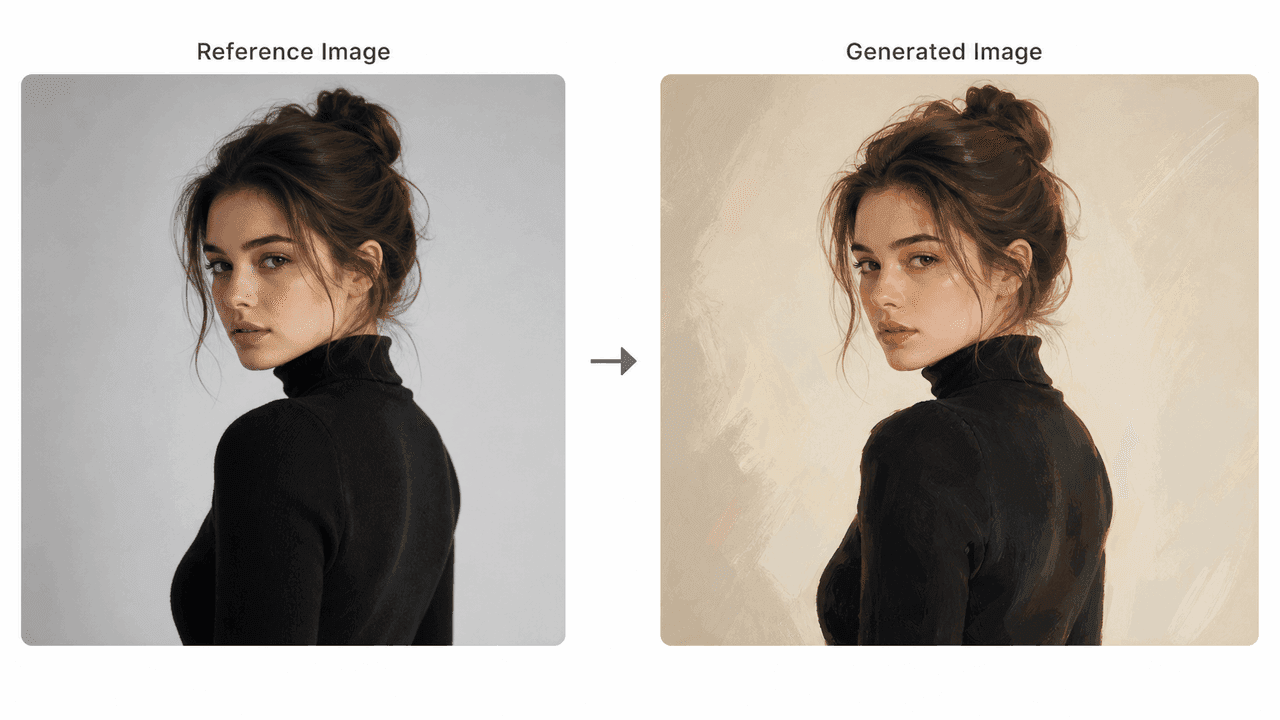
Upload any photo to guide composition, pose, or lighting. The image to image workflow maintains structural consistency while applying fresh styles.

Choose from preset artistic styles, including photorealistic, cyberpunk, digital illustration, anime, vector graphics, and cinematic concept art.

Access multiple top-tier image models in a single dashboard. Switch seamlessly between Nano Banana, Wan, and Grok depending on your speed and aesthetic needs.

Refine your prompts automatically with built-in AI polish, and use negative prompts to exclude unwanted artifacts or distracting elements.

Skip tedious setup with pre-configured templates tailored for product shots, portraits, wallpapers, and marketing assets.

Customize canvas dimensions (16:9, 1:1, 9:16) and export final visuals in crisp 1K, 2K, or ultra-HD 4K resolutions.
Jumpstart your creativity using our dedicated single-purpose generation tools
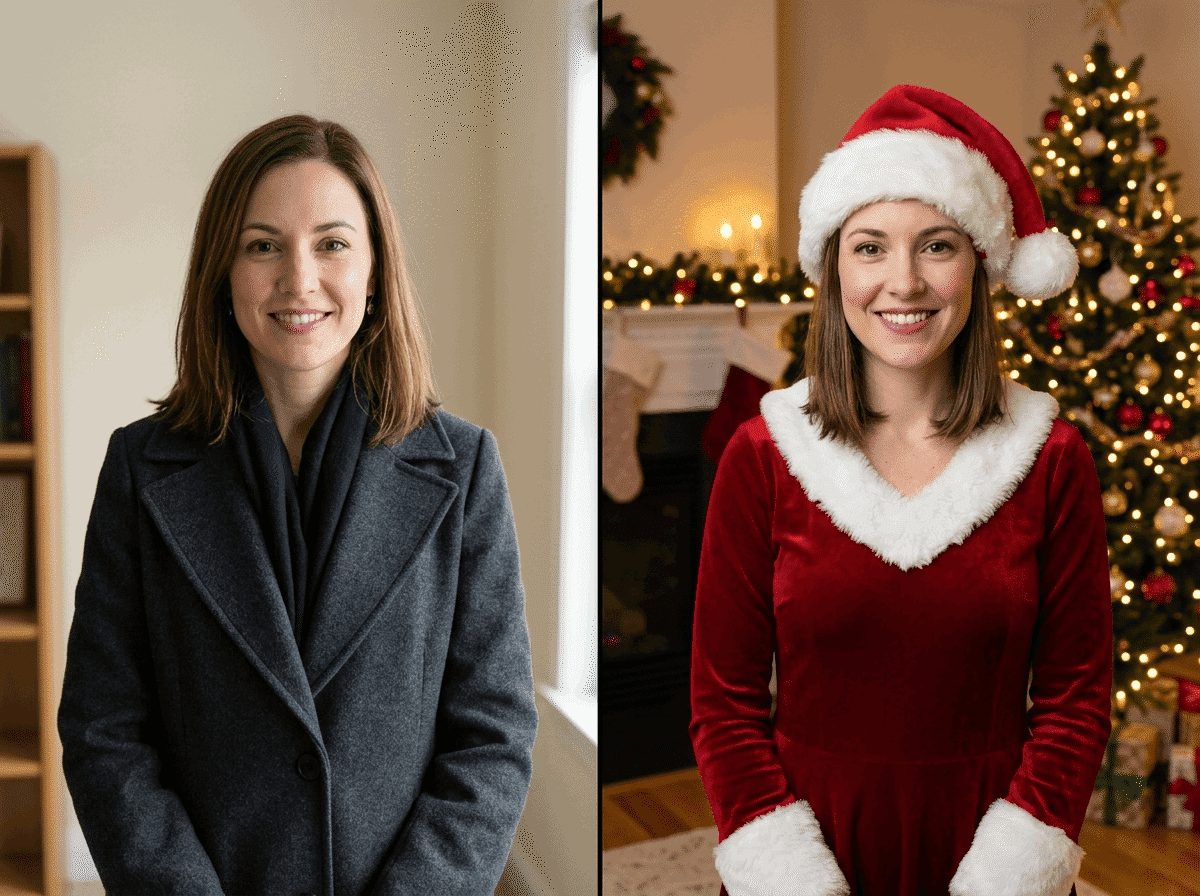
Turn everyday photos into festive holiday portraits and cards.

Create cinematic superhero art from prompts or photos.

Design custom heraldic crests from symbols and stories.

Blend two to six photos into one cohesive scene.

Create custom 2D paper-cutout avatars from a photo or prompt.
FreeMaker combines professional-grade tools with an intuitive user experience:

Effortlessly AI make image realistic free online or explore stylized artistic genres without technical prompt engineering experience.
Enjoy pixel-perfect output up to 4K clarity, ensuring your generated graphics look sharp on high-density displays and printed media.
Utilize top foundational models within one platform, saving time and subscription costs across multiple services.

Pre-built workflows allow non-designers to jump straight into generating professional graphics and realistic product visuals.

Select exact canvas dimensions designed specifically for Instagram, YouTube thumbnails, web banners, and print formats.

Your uploaded reference photos and generated artworks remain secure and protected, giving you peace of mind while creating.
FreeMaker empowers creators across diverse industries to make AI images efficiently.
Quickly generate eye-catching social media graphics, blog headers, and ad creatives that grab audience attention.
Accelerate storyboarding, mood board creation, and visual asset prototyping using flexible image maker ai features.
Create realistic product staging photos on studio backgrounds without expensive equipment or physical photo shoots.
Bring imaginative concepts to life, craft custom wallpapers, or generate unique digital avatars for personal projects.
Creators worldwide rely on FreeMaker to speed up their visual workflows.
“FreeMaker AI Image Maker has eliminated our need for expensive product photoshoots. Generating 4K studio-quality product images with Nano Banana takes just seconds.”
“The 4K output quality and prompt polishing feature of FreeMaker AI Image Maker are game changers for ad campaigns. It delivers consistently realistic graphics that convert.”
“Using the reference image-to-image tool in FreeMaker AI Image Maker saves me hours during client concept phases. It gives me precise control over layout and style.”
“The dedicated tools in FreeMaker AI Image Maker, like the avatar generator, make creating social content effortless. I can make high-resolution visuals for YouTube and Instagram in minutes.”
“As an indie game developer, being able to switch between Wan and Grok in FreeMaker AI Image Maker to rapidly generate environmental concept art has doubled our prototyping speed.”
“I have zero design background, but the preset tools and prompt polish in FreeMaker AI Image Maker let me create amazing wallpapers and custom art for fun effortlessly.”
Yes, FreeMaker is a free AI Image Maker that allows you to claim free credits every day through daily check-ins. If you need to generate unlimited images without restrictions, affordable subscription plans are also available.